How to Use ArkhamDB & ArkhamCards in 2026: Build Legal Decks, Sync Campaigns, and Spend XP Correctly
A spoiler-light case-file workflow from collection settings to legal decks, campaign sync, chaos bag, and clean XP nights.


AI-assisted research and drafting in Margo’s voice · reviewed by Robert Pruitt · how this guide was made
Last editorial refresh: 2026-08-15 Gold-standard QA: 2026-08-15 9 sources reviewed Affiliate links checked during gold-standard pass

The short answer
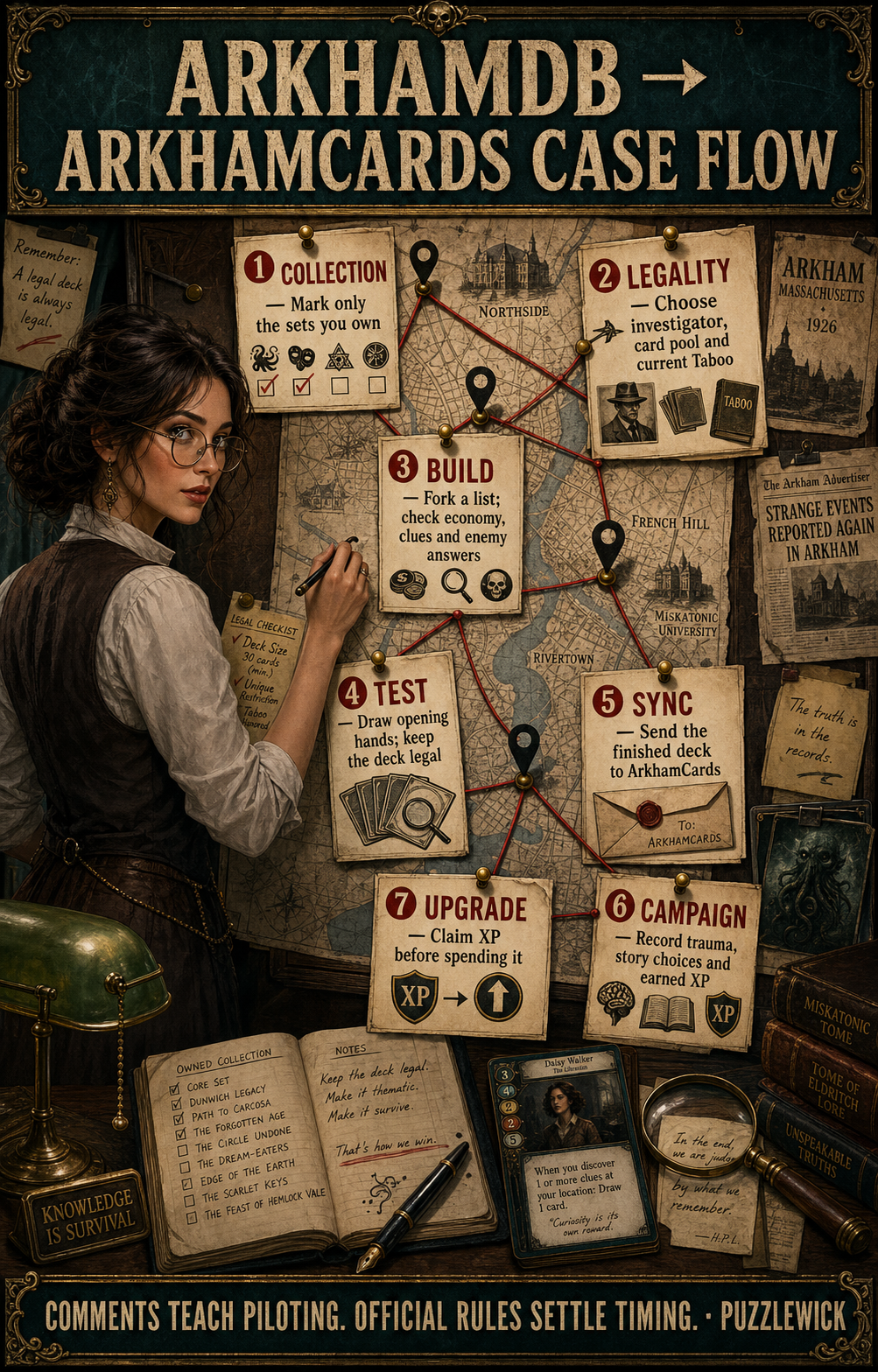
Use ArkhamDB to build, verify, fork, and test decks; use ArkhamCards to carry those decks through a campaign. Set your collection and Taboo List before browsing public lists, save a baseline deck, draw sample hands, then sync it to ArkhamCards. Inside the campaign, record scenario results, campaign-log choices, trauma, weaknesses, chaos-bag changes, and earned XP before upgrading.
The most important habit is wonderfully unglamorous: claim the scenario's XP and save the current deck before spending anything. That creates a clean before-and-after record and prevents the common campaign-night mystery in which everyone remembers owning one more point than the app does.
Arkham Horror: The Card Game is a campaign about memory, consequences, and people making questionable decisions under pressure. Its two best community tools are excellent at the first two. The third remains your responsibility.
Margo opens the case file without assuming you already speak database. This guide shows exactly which app does what, where legality settings hide, how to move a deck into a campaign, and how to make XP night feel like part of the story instead of household accounting.
Start here, then go deeper
You are in the right cabinet.
 ✒ Universe HubArkham Horror Universe: the whole buying pathStart with the interactive buyer intake: separate the 2026 Chapter Two Core from Chapter One legacy boxes and the entirely...
 ☾ Topic PathCooperative Horror Games: compare the whole shelfCooperative horror works when the rules pressure the story without burying the table. This cluster maps what to buy, how campaigns...
 Beginner's GuideArkham Horror LCG First Game Guide 2026: Setup, Rules, Skill Tests & Solo PlayRobert turns the rulebook into one playable evening: which Core to open, exactly how to build the table, what every phase does, and the...
ArkhamDB versus ArkhamCards: which one should you open first?
Open ArkhamDB when the question is about cards or a deck. Open ArkhamCards when the question is about the campaign state.
ArkhamDB is a web database, deck builder, public deck library, rules reference, and API-backed card archive. ArkhamCards integrates with ArkhamDB and adds scenario setup, resolution, campaign logs, chaos-bag management, deck upgrades, card search, and a digital chaos bag. Both are community tools. Neither outranks the current Fantasy Flight rules reference or FAQ.
Step 1: set My Collection before falling in love with a deck
In ArkhamDB, mark the Core Set, investigator expansions, campaign expansions, and standalone products you own. Public decks often use cards from years of releases. Without a collection filter, the site can recommend a beautiful machine whose most important gears live in six boxes you do not have.
- Create or sign in to an ArkhamDB account.
- Open My Collection.
- Select the exact products you own, including the correct Core era.
- Choose the current Taboo List only if your group is using it.
- Save one collection-aware search before browsing public decks.
Taboo is optional campaign balance guidance, not a secret requirement for your first game. A beginner should learn the printed cards before volunteering for extra errata.
How to read a public ArkhamDB deck without copying it blindly
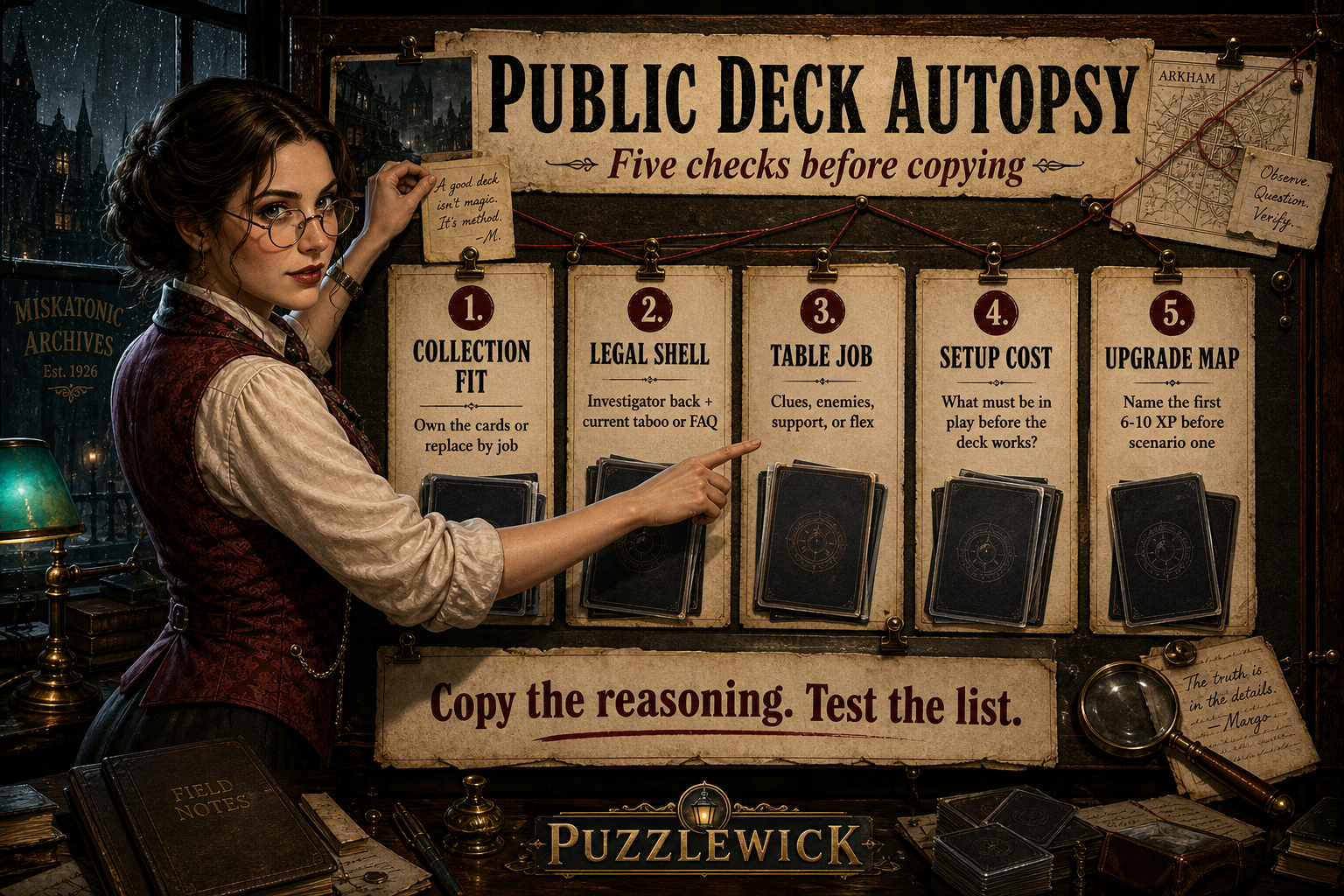
A public decklist is a field report, not a prescription. Before clicking Clone, read the investigator role, player count, campaign, collection, Taboo setting, opening-hand advice, and upgrade notes. A 29-XP showcase may still contain an excellent 0-XP starting list in its description; the headline number alone does not tell you whether the author documented the path from scenario one.
Margo's six-question decklist audit
- What job does this investigator perform? Primary clue finder, enemy manager, flexible support, or solo generalist are different assignments.
- What player count was tested? A four-player specialist can look helpless in true solo without being a bad deck.
- Can your collection build the level-zero version? Missing one economy card or signature interaction can change the whole engine.
- Is the list using the same Taboo environment? XP costs and card text can differ.
- Does the author explain the mulligan? A strong list tells you what the first two turns are trying to accomplish.
- Is there an upgrade path? Look for the starting deck, cards out, cards in, and the reason for each purchase.
Clone the list, preserve the author credit and original link, then draw at least five sample opening hands. Note dead cards, missing resources, and hands that cannot contribute by turn two. Change the smallest number of cards that solves a repeated problem. That is adaptation. Rebuilding the entire list after one ugly draw is just the encounter deck winning before setup.
Step 2: build a legal deck and give every card a job
Choose the investigator first. Read the back of the investigator card or ArkhamDB's deckbuilding panel carefully: class access, level range, trait permissions, off-class slots, required signatures, and random basic weakness are the actual constitution of the deck.
The five jobs to check
- Economy: enough resources or cost reduction to play the hand.
- Setup: assets or skills that make the investigator functional early.
- Clues: a repeatable way to advance the act.
- Enemies: fight, evade, manage, or reliably depend on a teammate.
- Protection: answers to treacheries, damage, horror, or failed key tests.
Fork a public deck instead of silently editing someone else's record. Save a baseline copy, then draw sample hands. Mulligan signatures and weaknesses as the rules require, and ask whether the opening can become useful in two turns rather than whether it contains the deck's fanciest card.
Step 3: sync the saved deck into ArkhamCards
ArkhamCards can connect to ArkhamDB, import a saved deck, and carry it through a campaign. Sync only after the ArkhamDB version is legal and saved. If you import while still casually swapping cards, you create two records and a future argument with yourself.
- Connect the correct ArkhamDB account.
- Import or select the saved investigator deck.
- Create or join the campaign.
- Confirm investigator, deck version, difficulty, and chaos-bag contents.
- Keep the physical deck and digital record on the same version.
ArkhamCards is free and ad-free. Its campaign screens guide setup and resolution, but the physical scenario guide and current official FAQ remain useful at the table.
Before scenario one: the three-minute multiplayer handoff
One player can run a campaign locally, but a group should decide who owns the shared record before the first agenda advances. ArkhamCards accounts and ArkhamDB accounts are separate. Every investigator who wants to update a private ArkhamDB deck should connect the correct account on their own device, while the campaign itself must be shared or uploaded rather than left as a local-only file.
Put these six facts in one place
- Campaign and version: confirm the exact campaign, difficulty, and scenario.
- Investigator record: attach the correct saved deck and its current upgrade version.
- Rules environment: agree on printed rules, current Grimoire or legacy FAQ, and whether Taboo is active.
- Persistent state: verify trauma, earned weaknesses, story assets, supplies, and campaign-log entries.
- Chaos bag: make the physical bag and digital record match, then decide which one is authoritative for draws.
- Post-game owner: name the person who reads resolution aloud and the players who claim XP on their own accounts.
Do not create a fresh upgraded deck after every scenario. ArkhamDB's upgrade workflow is designed to keep versions attached to the original deck, and ArkhamCards can pull the newest saved upgrade. When a deck appears stale, refresh or pull from ArkhamDB before duplicating anything. The three-minute audit feels fussy only until it prevents forty minutes of reconstruction.
Step 4: run the campaign log and chaos bag without losing the story
Create the campaign, select difficulty, and verify the starting chaos bag against the campaign guide. During resolution, enter only what the scenario tells you to record. Do not browse future scenario text or options to make the record look complete; incomplete information is part of Arkham's design.
After each scenario, confirm trauma, story assets or weaknesses, earned XP, campaign-log entries, and token changes. If the app and printed guide appear to disagree, stop and check whether the app has the newest content update and whether you selected the correct campaign version.
Step 5: claim XP before upgrading the deck
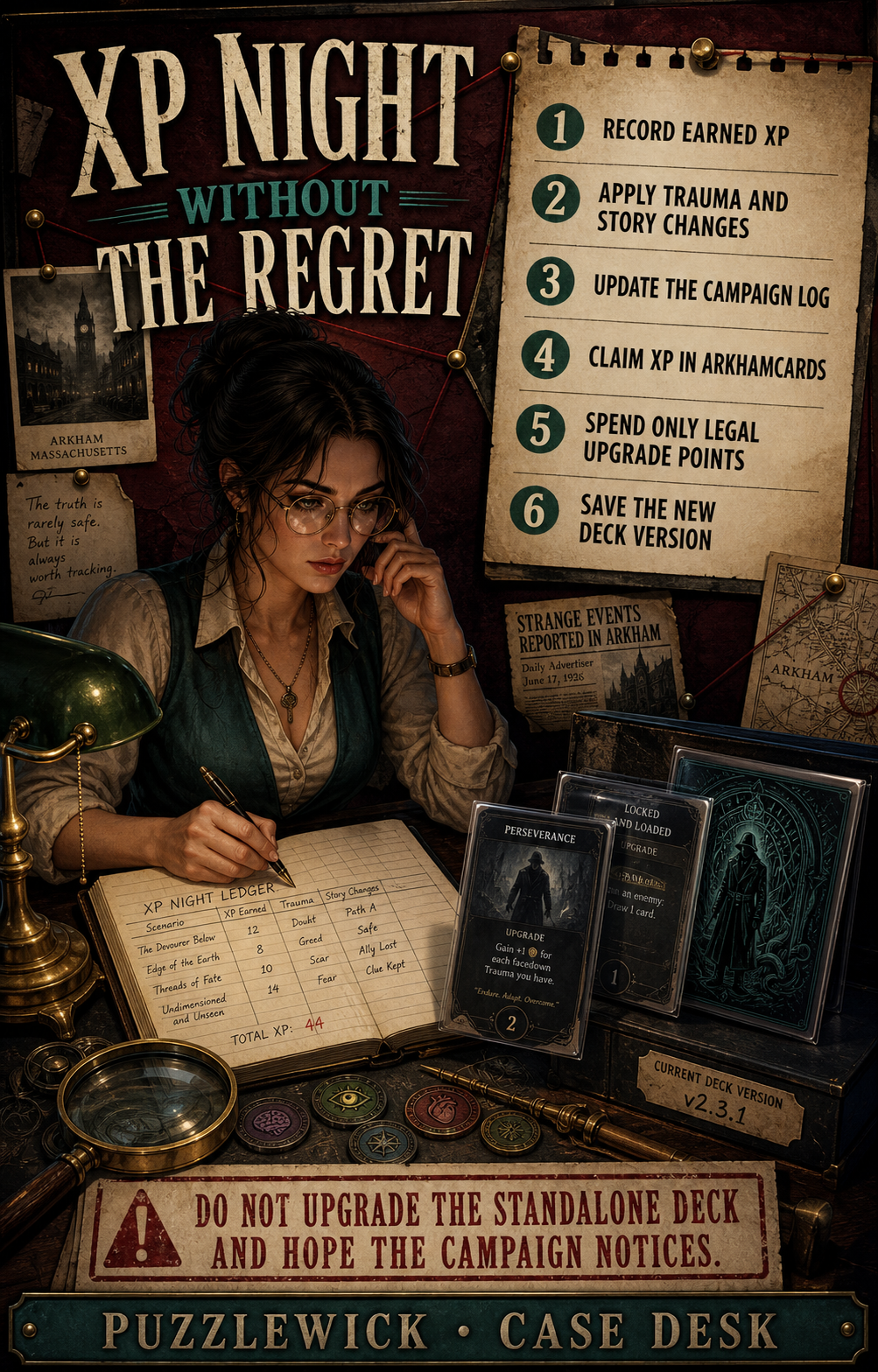
The safest upgrade ritual is short enough to repeat every time:
- Resolve the scenario completely.
- Record earned XP and all campaign changes.
- Save or snapshot the current deck.
- Claim the XP inside the campaign.
- Purchase upgrades and record cards removed.
- Confirm the deck remains legal.
- Draw five opening hands before the next session.
Spend XP on the bottleneck the last scenario exposed: economy, action compression, clue pace, enemy control, or protection. The most expensive card in the class is not automatically the upgrade your investigator needs.
Common ArkhamDB and ArkhamCards problems, made boring on purpose
The deck says illegal
Check investigator deckbuilding requirements, card level, class access, required signatures, weakness count, and the selected Taboo List. Also confirm that the exact product is marked in My Collection. If a repackaged Chapter One product does not expose expected cards, verify that the equivalent legacy release format is not affecting the collection filter before assuming the cards differ.
A public deck shows 20–50 XP
Read the author's notes before leaving. Many experienced builders publish the finished target first and link the 0-XP list or upgrade path in the write-up. If neither exists, treat the list as inspiration rather than a beginner-ready campaign deck.
A new card is missing
Update ArkhamCards, refresh ArkhamDB, confirm the product is selected in your collection, and verify its official release status. Community databases may update after announcement or release, especially during a product-line transition. A preview or preorder image is not automatically a live card record.
The campaign deck and ArkhamDB deck disagree
Refresh the ArkhamCards deck list or use its pull-from-ArkhamDB action after saving the upgrade in place on ArkhamDB. If the records have already diverged, decide which saved version is authoritative, export or snapshot it, then re-import deliberately. Do not repair two decks one card at a time while tired.
Two devices do not show the same campaign
Confirm that both players are signed into ArkhamCards, not merely ArkhamDB, and that the campaign is uploaded or shared instead of stored only on one device. Private deck changes still require the credentials of the investigator's own ArkhamDB account.
XP is wrong
Review the scenario resolution and campaign-log entries before touching the deck. If the number changed after an upgrade, compare the pre-upgrade deck version with cards purchased, removed, exiled, or discounted. Claiming XP is not the same action as spending it.
The app and a forum answer disagree
For current Chapter Two play, check the Arkham Grimoire, campaign guide, and card text. Use the legacy Rules Reference and FAQ when older content specifically calls for them. Forum explanations can teach the reasoning; official documents settle the ruling.
What should you buy for this workflow?
Start with a compatible Core Set and sleeve the player deck that gets shuffled every session. Upgrade the chaos bag when readability or wear becomes annoying. Premium storage belongs later, when the collection has earned a permanent room in the house.
Each product below uses a direct Amazon affiliate link. As an Amazon Associate, Puzzlewick earns from qualifying purchases at no extra cost to you.
What experienced tables keep reporting
Recurring owner patterns, synthesized in Puzzlewick's words. Follow each evidence trail to read the original discussion.
The picks
Some links below are affiliate links — as an Amazon Associate, Puzzlewick earns from qualifying purchases, at no extra cost to you. It never changes a pick.
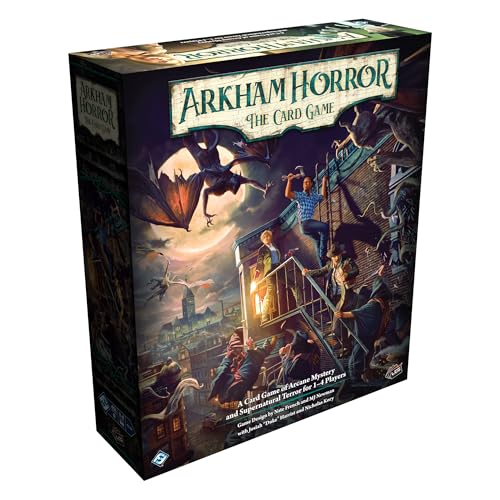
Arkham Horror: The Card Game Chapter Two Core Set
The cleanest physical starting point before ArkhamDB can do useful collection-aware work.
- Current evergreen Core
- Five investigators
- Playable campaign and required components
- Not a replacement purchase for every Revised Core owner
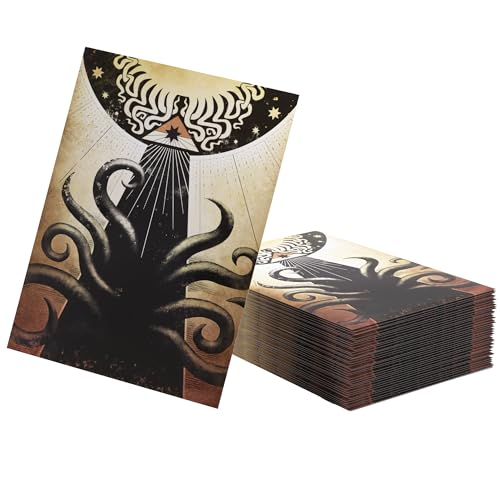
Standard card sleeves for player decks
The highest-ROI protection purchase.
- Protects handled cards
- Improves shuffle feel
- Easy to expand
- Full-library sleeving adds up

Coin capsules or readable premium chaos tokens
A small upgrade with a large table-feel payoff.
- Protects tokens
- Better tactile draw
- Often cheap
- Size must fit your bag
- Premium sets can get pricey
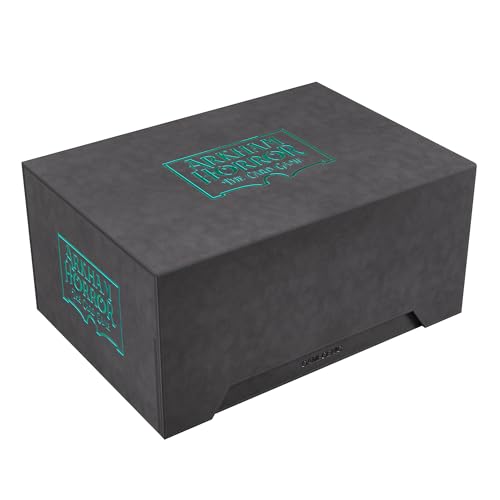
Gamegenic Arkham Horror Game Night Chest
A premium buy for committed tables, not a first-week necessity.
- Theme-perfect presentation
- Purpose-built for Arkham nights
- Makes active decks/tokens feel intentional
- Overkill for a tiny collection
- Can delay more useful first purchases
Puzzlewick digital card desk · checked August 15, 2026
Two free tools, seven repeatable case steps, one clean campaign record.
The guide separates deck construction from campaign state, then shows the exact handoff between ArkhamDB and ArkhamCards. Official Fantasy Flight rules and the current FAQ remain the authority when a community interface or old answer disagrees.
Set collection, build, test, sync, resolve, claim XP, and upgrade.
Readable current public pages for ArkhamDB and ArkhamCards replace generic or blocked mockups.
The order preserves the scenario result and a clean pre-upgrade deck state.
Each product card is paired with a direct tagged listing, never an Amazon search page.
Free download — ArkhamDB to ArkhamCards: The Digital Case Workflow
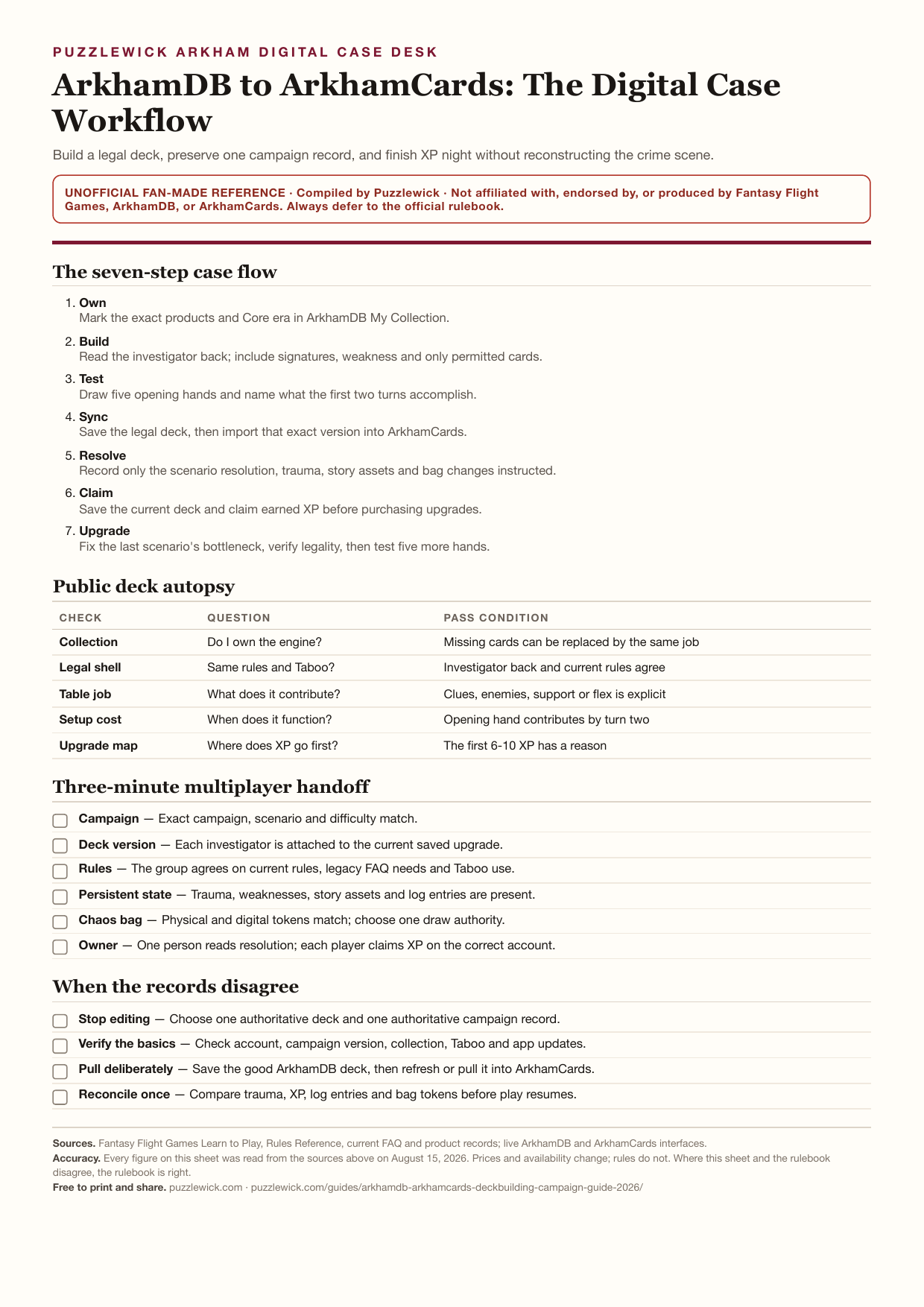
A print-friendly seven-step case sheet for collection settings, public-deck checks, campaign sync, XP night, and common fixes.
Unofficial fan-made reference. Compiled by Puzzlewick from the sources listed on the sheet. Not affiliated with or endorsed by the publisher — always defer to the official rulebook.
Questions, answered
What is the difference between ArkhamDB and ArkhamCards?
ArkhamDB is primarily a card database, deck builder, public deck library and rules reference. ArkhamCards connects to ArkhamDB and focuses on running campaigns, including setup, campaign logs, chaos bags and deck upgrades.
Do I need both ArkhamDB and ArkhamCards?
No, but the pair is the cleanest free workflow. Build and test on ArkhamDB, then carry the saved deck and campaign state in ArkhamCards.
Should a beginner use the Arkham Horror Taboo List?
Not necessarily. Taboo is optional balance guidance. Learn the printed game first unless the campaign group has agreed to use the current list.
How do I stop ArkhamCards XP from being wrong?
Complete scenario resolution, record campaign changes, save the current deck, claim XP, then upgrade. Keeping that order prevents most mismatches.
Can ArkhamCards replace the physical campaign guide?
It can guide setup and resolution, but Puzzlewick recommends keeping the official campaign guide and current FAQ available, especially for new releases or disputed timing.
Is ArkhamCards free?
ArkhamCards describes itself as free with zero ads and provides iOS and Android versions.
Margo's verdict
Build and publish on ArkhamDB; run the campaign in ArkhamCards. Keep official Fantasy Flight rules and FAQ open whenever timing, legality, or a new release is disputed.
Research ledger 9 sources · reviewed 2026-08-15
Specifications, rules, current product information, community experience, and contrary evidence were checked against the sources below. Commercial links are kept separate from editorial evidence.
- ArkhamDBarkhamdb.com
- ArkhamDB rules referencearkhamdb.com/rules
- ArkhamDB FAQ v2.5arkhamdb.com/faqs
- ArkhamCardsarkhamcards.com
- Fantasy Flight Games: Arkham Horror The Card Gamefantasyflightgames.com/en/products/arkham-horror-the-card-game
- The Arkham Grimoireimages-cdn.fantasyflightgames.com/filer_public/76/b3/76b332d5-7047-458f-91b6-82c8500cc445/arkham_grimoire.pdf
- ArkhamDB API documentationarkhamdb.com/api/doc
- ArkhamDB upgrade workflow discussionreddit.com/r/arkhamhorrorlcg/comments/1u3cys9/question_about_how_to_use_arkhamdb
- ArkhamCards multiplayer campaign guide discussionreddit.com/r/arkhamhorrorlcg/comments/ut0xqu/arkham_cards_guide
Let me check that before we say it.


Keep exploring
The next smart rabbit holes.
✒ Universe HubArkham Horror Universe: the whole buying pathStart with the interactive buyer intake: separate the 2026 Chapter Two Core from Chapter One legacy boxes and the entirely...☾ Topic PathCooperative Horror Games: compare the whole shelfCooperative horror works when the rules pressure the story without burying the table. This cluster maps what to buy, how campaigns...Beginner's GuideArkham Horror LCG First Game Guide 2026: Setup, Rules, Skill Tests & Solo PlayRobert turns the rulebook into one playable evening: which Core to open, exactly how to build the table, what every phase does, and the...